impresoras inkjet

Using and taking full advantage of inkjet printers

 In the world of industrial coding and marking, choosing the right printing technology isn’t just a matter of preference—it’s a strategic decision.
Inkjet printers have become one of the most versatile and efficient options, especially in industrial environments where precision, speed, and adaptability truly make the difference.

In this article, we’ll break down exactly what inkjet printers are, what they’re used for, and how to choose the one that best fits your production needs.

What Is an inkjet printer?

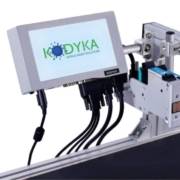
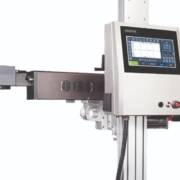
An inkjet printer is a device that sprays tiny droplets of ink directly onto the surface of the material to be marked or coded.
In industrial environments, these devices are built to print on a wide variety of substrates—like plastic, glass, metal, paper, or cardboard—at high speeds and with excellent precision.

Unlike other systems, inkjet technology allows for non-contact printing, making it ideal for production lines that handle fragile or irregularly shaped products.

Common industrial uses for inkjet printers

Inkjet printers are widely used across industries. Here are some of the most common applications:

  • Product marking: expiration dates, batch numbers, sequential numbering, QR codes
  • Packaging coding: especially common in food & beverage, pharmaceutical, and cosmetics industries
  • Printing on various materials: from glass bottles to electrical cables or metal parts
  • Dynamic labeling: perfect for lines that require frequent data changes without stopping production

Thanks to their flexibility, inkjet printers are well-suited for both high-volume manufacturing and short production runs that require quick info updates.

Advantages of industrial inkjet printers

1. High speed & productivity

One of their biggest strengths is the ability to work at high speeds without sacrificing print quality—critical for fast-paced production lines.

2. Compatibility with multiple materials

Whether you’re working with porous or non-porous, glossy or matte surfaces, inkjet printers provide excellent ink adhesion, ensuring clear, long-lasting prints.

3. Low operating costs

Optimized ink usage combined with minimal maintenance and long service life, leads to a significantly lower total cost of ownership.

4. Easy integration

Their compact design and multiple connectivity options allow for seamless integration into existing production lines—no major modifications needed.

How to choose the right inkjet printer

Here are some key factors to consider before making a decision:

1. Surface type

Does your line primarily work with glass, plastic, metal, cardboard…? Make sure the model you choose is compatible with your base materials.

2. Production speed

Some printers are built for intense, continuous operation, while others are better for intermittent or lower-volume runs. Pick one that suits your actual pace.

3. Print resolution

If you’re printing barcodes, QR codes, or logos, print clarity is essential. Higher resolution ensures better readability and fewer scanning errors.

4. Maintenance requirements

Look for models with automated cleaning systems or minimal upkeep, so your production doesn’t get interrupted by constant technical adjustments.

5. Ink options

Not all inks perform the same. Some are water-resistant, others heat-resistant, and some dry faster. Make sure the printer supports the types of industrial ink your production line requires.

Is inkjet printing the right choice for your business?

If your goal is to achieve fast, precise, and durable marking without technical headaches or large upfront investments, inkjet might be exactly what you need.

Inkjet printing is one of the most proven and versatile technologies available. Its reliability, low maintenance, and flexibility make it a perfect ally—whether you’re managing large-scale production or small custom batches.

At Kodyka, we offer a full range of inkjet solutions tailored to demanding industrial environments. We help you choose the model that fits your specific production setup and provide technical support throughout the installation and integration process.

Investing in an industrial inkjet printer means choosing efficiency, quality, and flexibility. Whether you’re launching your first production line or updating your existing equipment, this type of technology can make a real difference in your competitiveness.
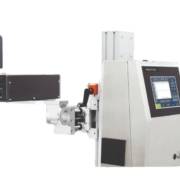
impresora láser color

Advantages of an industrial color laser printer and how to boost your plant’s productivity

Is your production line still relying on basic printing solutions? Then you might be compromising efficiency, traceability—and the presentation of your products.

Integrating an industrial color laser printer isn’t just a step forward: it’s a strategic decision that positively impacts on your entire value chain.

From clearer coding to faster labeling systems, these printers have become essential tools for industries that want to mark better, faster, and with lower operational costs.

In this guide, we’ll explain why this type of printer is key in industrial settings, the benefits it brings, and how to choose the right model for your sector.

What is an industrial color laser printer?

Unlike home or office printers, an industrial color laser printer is designed to operate under demanding conditions and high production volumes.

It uses dry toner and laser technology to apply key information—such as prices, codes, dates, or batch numbers—directly onto packaging, labels, or surfaces with pinpoint accuracy and high resistance.

These printers deliver visible, long-lasting, high-quality markings on a wide range of materials, from cardboard and film to plastic and metallic surfaces.

🔗 Looking for a specific traceability system? Check out our DOD, TIJ, and laser solutions for continuous production.

Main advantages of an industrial color laser printer

1. Precise, professional coding

Thanks to laser technology, you get clear, permanent, and abrasion- or moisture-resistant results—essential in industries like food, pharmaceuticals, and automotive.

✔️ Legible codes on any surface
✔️ Color-coded info to highlight dates, batches, or prices
✔️ Visually appealing and functional labeling

2. Print speed aligned with industrial demands

An industrial color laser printer integrates seamlessly into high-speed production lines without sacrificing print quality.

📈 Prints 20–60 ppm
📦 Streamlines product output without interruptions
🕒 Reduces downtime and bottlenecks

3. Lower cost per marking

 While the upfront investment is higher, long-term performance is unmatched:

💸 Fewer consumable changes
🔧 Minimal maintenance
🔁 Toner lasts longer than traditional inks

When should you use an industrial color laser printer?

This type of printer is ideal when:

  • Your line produces over 500 units per day
  • You need durable, visible traceability
  • You want to print in color on packaging or labels
  • You’re aiming for efficiency without sacrificing quality or speed

Industrial use cases

🔹 Food Sector:
Print expiration dates, prices, or nutritional info on labels and flexible packaging.

🔹 Pharmaceutical and Cosmetic:
Code batches and serial numbers with full legibility and regulatory compliance.

🔹 Manufacturing and Logistics:
Mark parts, boxes, or pallets with QR codes, instructions, or warning labels.

What to consider when choosing your industrial color laser printer

Print resolution

Make sure the printer offers at least 600 x 600 dpi for crisp, readable codes.

Material compatibility
Not all printers perform the same on cardboard, film, PET, or aluminum—pick the right one for your production line.

In-line integration
Look for systems that connect with your ERP or MES for automated workflows.

Multifunction capabilities
Some models allow for variable data printing, graphics, and logos without switching equipment.

Why a color laser printer boosts industrial productivity

A productive plant is one that minimizes downtime, automates processes, and reduces errors. That’s exactly what an industrial color laser printer delivers:

🔄 Fewer replacements, more continuity
⚡ Clear info without the need for external labels
📊 Easy regulatory compliance

Efficient marking, uninterrupted production.

Looking for the perfect color laser printer for your industry?

At Kodyka, we help you choose the right equipment based on your sector, production line type, and technical needs. From packaging printing to coding on complex materials, we offer industrial solutions built to optimize your plant.

Request a free demo and see how your production line can print more, better, and with less effort.

impresoras inkjet

Using and taking advantage of a color laser printer

Choosing a color laser printer in 2025 can make the difference between a productive business and one that’s falling behind. More than ever, multifunction devices are not just tools — they’re strategic allies for maintaining quality, reducing costs, and improving professional image.

Whether your business prints catalogs, reports, or detailed presentations, a color laser printer delivers clarity, speed, and durability with every print. But with so many options currently on the market, the decision can be a little harder than it seems.

In this article, we’ll break down the practical uses, advantages, and key factors to consider when selecting the right model for your business needs. We’ll also highlight what to consider before making an investment, which brands are leading the market, and how this technology can help you work more efficiently.

What is a color laser printer and how does it work?

A color laser printer uses a laser beam to transfer text and images through a drum that applies toner to the paper.

Unlike inkjet printers, this technology offers faster speeds, greater precision, and higher performance per printed page.

Instead of using liquid cartridges, it uses toner, an ultra-thin powder, which significantly reduces maintenance and enhances print quality.

This makes it one of the best options for businesses that handle high print volumes and require visually demanding documents.

Benefits of a color laser printer in professional settings

Integrating a color laser printer into your business offers a variety of valuable benefits:

  • Consistent professional quality: Ideal for client reports, presentations, and business documents.
  • Fast high-volume printing: No long waits — results are delivered in seconds.
  • Lower cost per page: Toner yields more output than traditional ink, lowering costs.
  • Reduced maintenance: No liquid ink means fewer clogs and technical issues.
  • Durability and precision: Toner doesn’t smudge easily, which is key for archived or legal documents.

When is a color laser printer the right choice?

A color laser printer is especially recommended in the following scenarios:

  • Your business prints marketing materials like catalogs, spec sheets, or flyers.
  • You need speed and efficiency for constant internal printing.
  • You prioritize a flawless visual image for partners, clients, or suppliers.
  • You require network printing from multiple devices within an office.

Looking for more robust solutions for industrial environments? Check out our high-resolution industrial printers and technologies like TIJ and DOD.

Comparison: color laser printer vs. inkjet printer

FeatureColor LaserInkjet
SpeedHighMedium
Cost per pageLow (with high volume)Higher
Text qualityExcellentGood
Graphics and color qualityVery good (advanced models)Excellent (photo models)
MaintenanceLowMore frequent
Print volumeHighLow to medium

While inkjet printers can offer strong color results, color laser printers are more efficient for offices with frequent or high-volume printing needs.

Key features to look for in a color laser printer in 2025

Before making your decision, consider these important factors:

  • Print speed (ppm): Essential for offices with heavy daily demand.
  • Print resolution: Higher dpi means sharper, more accurate color.
  • Paper capacity: Ideal if you want to avoid refilling trays constantly.
  • Connectivity: Do you need Wi-Fi, Ethernet, or cloud printing?
  • Compatibility: Ensure it works with your operating systems and business software.
  • Multifunctionality: Do you need scanning, copying, and faxing in one device?

Some brands are now integrating AI to monitor consumables or detect errors in real time and take corrective action — a feature that can make a big difference for smarter resource management.

Top color laser printer brands for offices

These brands remain industry leaders in performance and reliability in 2025:

  • HP: Great for small and mid-sized businesses, offering strong value.
  • Brother: High efficiency with low operational costs.
  • Canon: Outstanding image quality and professional finishes.
  • Lexmark: Large printing capacity and built-in security.
  • Xerox: Perfect for large companies with demanding workflows.

Practical tips before buying a color laser printer

  • Assess your monthly print volume: This will help determine whether you need a basic or professional-grade printer.
  • Think about future growth: Will it still meet your needs a year from now?
  • Don’t overlook consumables: Consider toner costs and the availability of replacement parts.
  • Read up-to-date comparisons: Don’t make decisions based solely on price; prioritize durability and technical support.

Investing in a color laser printer is a strategic decision for any company that values efficiency, print quality, and professional presentation. With today’s technology, these printers are no longer a luxury — they’re an essential tool for any office environment.

No matter your printing volume, visual needs, or budget, Kodyka has the perfect model for you.
And if your industry requires even more advanced solutions, you can complement your setup with our thermal printer options.

At Kodyka, we provide industrial printers and traceability systems tailored to meet the demands of the digital age.

impresora láser

Practical uses and advantages of a laser printer

In today’s fast-paced office environments, efficiency is no longer a luxury—it’s an absolute necessity. For many businesses, having a laser printer that meets the demands of productivity, precision, and quality has become essential.

From printing technical documents to handling marking and coding processes, this type of technology offers a robust and cost-effective solution.

But what really makes a laser printer stand out from other options on the market? And how can you know which model best suits your specific business needs?

In this article, we’ll guide you step by step to answer those questions and help you make a well-informed decision.

What is a laser printer and how does it work?

A laser printer is a printing device that uses a laser beam to project an image onto a photosensitive drum. This drum attracts toner (a very fine electrostatic powder), which is then transferred and fused onto the paper using heat.

Unlike inkjet printers, laser printers don’t use liquid ink. This makes them faster, cleaner, and more accurate—especially when printing high volumes.

Key advantages of a laser printer in business settings

High printing speed

One of the biggest advantages of a laser printer is its ability to handle large print jobs quickly. For example, in a warehouse that needs to produce barcode labels daily, the speed of a laser printer can make a significant difference.

Low cost per page

While the initial investment may be higher than other printer types, toner cartridges have a much longer lifespan. This results in a lower cost per page over the medium and long term.

Durability and low maintenance

Laser printers are built for heavy-duty use. They require fewer cleanings and less frequent replacement of consumables compared to other models, resulting in more uptime for your team.

Professional print quality

Whether you need to print technical manuals, reports, labels, or documents with detailed graphics, laser printers consistently deliver high-quality, professional results.

Types of laser printers based on your needs

Monochrome laser printer

Prints exclusively in black. Ideal for companies that handle internal documents, reports, or invoices. These models are typically more affordable and faster.

Color laser printer

Perfect for presentations, reports with charts, or promotional materials. A color laser printer provides visual versatility without sacrificing speed.

Multifunction laser printer

Combines features like scanning, copying, and faxing. This all-in-one solution is common in offices looking to optimize space and operations.

Practical business applications

  • Logistics sector: Printing shipping labels, QR codes, and internal documents.
  • Consulting and professional firms: Legal documentation, reports, and contracts with a clean, professional finish.
  • Retail and commerce: Creating POP materials, price tags, product sheets, or inventory documents.
  • Education and training: Course materials, guides, manuals, and certificates.

How to choose the best laser printer

Before making a decision, consider the following factors:

Monthly Print Volume

Estimate the number of pages your company prints per month. If it’s over 3,000, opt for a mid- to high-range model with greater capacity.

Document Type

Do you need to print just text or also graphics and colors? If you only print in black and white, a monochrome laser printer will suffice. For visual versatility, go with a color laser printer.

Connectivity and Compatibility

Many models offer Wi-Fi, Ethernet, or even integration with document management systems. Make sure the printer integrates well with your business network.

Consumables Cost

Check toner cartridge yield, replacement availability, and compatible alternatives. Cost per page is a key factor.

Is a laser printer better than an inkjet?

That depends on the work it is intended for. For businesses with high print volumes, laser printers are faster, more cost-effective per page, and more durable. On the other hand, inkjet printers are better suited for small offices with low volume or for occasional photo-quality printing.

Where to buy a professional laser printer?

There are many specialized distributors offering industrial and office solutions. If your company also needs options like industrial printers, thermal printers, or even thermal inkjet (TIJ) printers, at Kodyka we are expert manufacturers of printers, inks, and consumables for this sector.

If you’re looking for industrial marking or product traceability solutions for your production line, we also offer high-quality equipment tailored to your company’s needs.

Investing in the right laser printer can be a game-changer for your business productivity.

Whether you work in logistics, manufacturing, retail, or professional services, this type of technology guarantees speed, savings, and consistent quality.

Before purchasing, analyze your needs, compare models, and ensure your supplier offers personalized advice. If done right, you’ll have a reliable machine for many years to come.

cartuchos originales hp

Industrial ink cartridge solutions: HP as Kodyka’s enhanced alternative

When it comes to marking and coding printers, the spotlight often falls solely on the printer. But the truth is, the ink cartridge is just as—if not more—important. Why? Because in the world of industrial coding, every detail matters.

If you’re looking for precision, durability, and reliability in your printing processes, original HP cartridges are a well-known option.
But if you need to go a step further—with higher performance, consistent quality, and fewer interruptions—Kodyka-manufactured ink cartridges are the strategic choice for your business.

In this article, we’ll explain what original HP cartridges are, why many companies are switching to Kodyka ink solutions, and how to optimize your marking system with consumables that truly make a difference.

What are original HP cartridges and what does kodyka offer beyond that?

Original HP cartridges are designed for thermal inkjet (TIJ 2.5) printers. They’re widely used in sectors like food, cosmetics, and pharmaceuticals to print dates, batch codes, or any other relevant data.

At Kodyka, we manufacture our own cartridges compatible with TIJ printers that match—and in many cases surpass—the performance of original HP products.

The difference? Our inks are designed with real industrial production needs in mind: better adhesion, more prints per cartridge, and reduced maintenance needs.

Our cartridges also include an integrated printhead, maintaining the ease of use HP is known for, but with key enhancements you’ll notice from the very first print.

Advantages of using Kodyka industrial cartridges

Optimized print quality

Both HP and Kodyka cartridges deliver high-definition prints, but our formulations are built to perform better and dry faster—even on challenging surfaces. From plastics to films or metals, you get a clear, durable print on the first pass.

Full compatibility and flawless experience

Our cartridges are 100% compatible with TIJ printers. They communicate properly with your printer and avoid common issues with non-OEM cartridges, like ink reading errors. Plus, we fine-tune every formula to reduce downtime and boost productivity.

Not sure if your printer supports our cartridges? Reach out—no obligation, we’ll guide you.

Higher output per milliliterhttps://es.kodyka.com/contactar/

Our customers keep coming back because our cartridges deliver more prints, require fewer changes, and create less waste. In industrial production, that translates directly into time and cost savings.

Specialized inks for every need

At Kodyka, we develop inks for all types of materials and environments: ultra-fast drying, resistance to smudging, moisture, or grease, and specific formulas that comply with regulations in the food and pharmaceutical industries.

Real-World Example

Imagine a cosmetics company needing to print batch numbers on plastic containers and cardboard boxes. It’s perfectly viable with HP cartridges, but with Kodyka, you get even more: substrate-specific inks, fast line changes, and zero print errors. All in one efficient marking solution.

Kodyka vs HP vs generic cartridges

Many businesses consider using generic-brand cartridges to cut costs. However, that can be a costly mistake in industrial coding: poor print quality, technical issues, or voided warranties would become a daily nightmare.

Let’s compare:

FeatureHP OriginalGenericKodyka
Consistent quality
TIJ compatibility⚠️
Sector-optimized ink⚠️
Cost savings per print⚠️
Specialized tech support⚠️

Kodyka combines the best of OEM quality with improvements tailored to daily production needs.

What industries benefit from Kodyka cartridges?

Our cartridges are ideal for industries that require traceability and regulatory compliance. Key sectors include:

  • Food & Beverage: moisture-resistant expiry dates and traceability codes
  • Pharmaceuticals: stable and legible prints in controlled environments
  • Cosmetics & Personal Care: clean marking on tubes, bottles, and packaging
  • Logistics & Packaging: variable data and barcodes on a wide range of surfaces

Want a custom ink for your production line? At Kodyka, we’ll formulate it for you.

Tips to get the most out of your kodyka (or hp) cartridges

  • Store them horizontally in a dry, dark place, away from heat sources
  • Respect the optimal use-by date—even if unopened
  • Don’t mix inks without cleaning the printer first
  • If unused for several days, gently clean the printhead

Where to buy trusted industrial cartridges in Spain?

At Kodyka, we manufacture complete solutions for industrial printing: cartridges, inks, and printers. We offer a full range of consumables compatible with HP TIJ 2.5 and real technical support for every customer.

We’ll help you choose the best cartridge and ink for your product type, print speed, and working conditions.

Trust Kodyka: cartridges for companies that don’t settle

Choosing original HP cartridges is a good decision. Choosing Kodyka takes you one step further: better quality, greater savings, and expert support. In industrial environments where mistakes aren’t an option, our consumables rise to the challenge.

Ready to upgrade your marking system? Contact us and discover why more companies are making the switch to Kodyka.

impresoras hp

HP Printers: features and buying tips

Choosing the right printer for your business isn’t always easy—especially when the market is full of technical options, complicated acronyms, and promises that don’t always deliver. But if there’s one brand that stands out for reliability, innovation, and results, it’s HP.

In the world of industrial printing, HP printers are known not just for their quality, but for their ability to adapt to various industries and needs.

From production lines requiring fast, accurate coding to environments where every detail matters for compliance with traceability regulations.

If you’re looking for an efficient, durable, and easy-to-use printing solution, this article is for you.

We’ll explain everything you need to know about HP printers: how they work, what models are available, their advantages, and what to consider before purchasing one.

Why choose HP printers for your business?

HP (Hewlett-Packard) is a global leader in printing technology. Its solutions range from office printers to industrial printers designed for demanding production environments.

HP printers stand out for:

  • High print quality
  • Easy installation and operation
  • Innovative technology (like TIJ 2.5 – Thermal InkJet)
  • Compatibility with various ink types
  • Low maintenance costs
  • Excellent value for money

At Kodyka, we mainly work with industrial printers that use TIJ technology for marking and coding applications in sectors like food, pharmaceuticals, cosmetics, and logistics.

Most common types of hp printers

1. HP Thermal Inkjet Printers (TIJ)

These are the most widely used in industrial environments due to their speed, precision, and cleanliness. They use thermal ink that heats and is ejected through the integrated cartridge head. Ideal for printing on cardboard, plastics, labels, and more.

Looking for a flexible solution with minimal maintenance? Check out our TIJ printers at Kodyka.

2. HP Continuous Inkjet Printers (CIJ)

Although HP doesn’t directly manufacture CIJ printers, some third-party systems integrate HP printheads. These are suitable for high-speed production lines and non-contact, high-volume printing needs.

3. HP Industrial Laser Printers
Designed for permanent marking on materials like metal, glass, or plastic. Laser marking doesn’t use ink, reducing consumable costs—but requires a higher initial investment.

Key Features of HP Industrial Printers

TIJ 2.5 Technology

Uses cartridges with integrated printheads, which drastically reduce maintenance and ensure consistently sharp prints.

High Resolution

HP printers can print text, logos, barcodes, and QR codes with outstanding clarity—even at high speeds.

Compatible with Multiple Inks

From water-based inks for cardboard to fast-drying inkjet inks for non-porous surfaces.

Easy Integration

They easily integrate into existing production lines with modular mounts, touchscreen interfaces, and software connectivity.

What to consider before buying an hp printer

1. Surface type

Printing on cardboard is not the same as printing on plastic or metal. Your choice of HP printer and ink will depend on your product or packaging materials.

2. Production line speed

If your line runs fast, you need a printer that responds quickly and dries instantly. HP thermal printers with fast-drying inks are ideal here.

3. Print area size

What are you printing? A batch number? A QR code? Longer text? HP printers offer flexible configurations—but it’s crucial to choose a model with the right width and resolution.

4. Maintenance needs

One major benefit of HP industrial printers is low maintenance—each cartridge comes with a built-in printhead. Still, selecting the right cartridge type and storing consumables properly is essential.

Why choose Kodyka over hp alone

At Kodyka, we don’t just build high-quality industrial printers for marking and coding—we also provide technical advice, installation, maintenance, and a wide range of original inkjet inks and cartridges tailored to your needs.

All our systems are designed for seamless integration into any production line and to meet quality and traceability standards.

Final tips for choosing the right printer

✅ Go with TIJ technology if you want clean, easy-to-use systems.
✅ Make sure your ink is compatible with the material you print on.
✅ Consider your daily printing volume.
✅ Don’t cut corners on quality—a bad decision now can cost you much more later.
✅ Always consult with experts before buying.

Our printers offer efficient, accurate, and cost-effective solutions for businesses that need to code products, print variable data, or manage traceability. Choosing the right model is key to achieving optimal results and avoiding unnecessary costs.

At Kodyka, we help you find the perfect printer for your business—tailored to your processes, materials, and specific needs.

With technical support, personalized advice, and a complete catalog of industrial printers, inks, and consumables, we are your partner in industrial printing.

Looking for a printer for your business? Contact us or visit our Industrial Printers section and start optimizing your production line today

impresoras etiquetas industriales

How to choose the best industrial label printer for your needs

When we talk about industrial label printers, we’re not referring to just a simple piece of equipment. These are essential tools in industrial labeling and coding processes, where efficiency, precision, and durability in marking can make all the difference in traceability, regulatory compliance, and product presentation.

In this article, we’ll explain what these printers are, what they’re used for, the types that exist, and how to choose the best printer for your production line. If you work in food, logistics, pharmaceuticals, or cosmetics, this content is for you.

So, what really are industrial label printers?

Industrial label printers are machines designed to print labels quickly, continuously, and with high-quality standards. Unlike home or office printers, they are built to operate in demanding environments with high production volumes.

These printers are used to apply variable information such as barcodes, expiration dates, batch numbers, logistics data, or unique identifiers onto adhesive labels or directly onto the product’s packaging.

Some models also combine printing and automatic label application in one step, saving time and reducing errors.

What is an industrial label printer used for?

The main functions of an industrial label printer include:

  • Printing high volumes of customized labels
  • Integrating with production systems to code products in real time
  • Ensuring compliance with labeling and traceability regulations
  • Optimizing inventory and logistics management
  • Delivering a professional and consistent product image

From food labeling to warehouse box coding, industrial label printers are strategic assets for companies that value efficiency and reliability.

Different types of industrial label printers

Choosing the right printer depends on the type of labeling required. Here are the most common options:

1. Direct thermal printers

Ideal for short-term labels such as shipping or internal labeling. They use heat to print directly on the material without the need for ink or ribbon.

Advantages:

  • Low maintenance cost
  • Perfect for logistics environments

2. Thermal transfer printers

Use a ribbon to transfer ink onto paper using heat. These are ideal for labels requiring high resistance to abrasion, moisture, or chemicals.

Advantages:

  • High durability
  • Compatible with multiple materials (paper, polypropylene, polyester)

3. Industrial printers with automatic applicators

Combine the printing and automatic application process on the production line. Common in high-volume industrial labeling.

Advantages:

  • Faster production speed
  • Fewer manual errors

How to choose the best industrial label printer

Before making a decision, it’s important to ask the right questions. Here are some key criteria:

1. Type of label you need to print

Do you need permanent or temporary labels? Are your products exposed to extreme temperatures, humidity, or frequent handling? Depending on your answers, you’ll choose between direct thermal or thermal transfer printers.

2. Print volume

If you print thousands of labels daily, you’ll need a robust industrial printer capable of continuous operation with high-durability components.

3. System compatibility

Ensure that the printer can integrate easily with your production management software or ERP. This is key to automating processes and avoiding human error.

4. Printing materials

Not all printers support the same materials. Labels may be made of paper, polypropylene, PET, or special materials for rough or irregular surfaces.

5. Ease of maintenance

Reliability also means the printer should be easy to clean, repair, or refill. At Kodyka, we work with solutions that require minimal maintenance without sacrificing quality.

Advantages of using industrial label printers in your processes

  • Efficiency: Speeds up labeling, even on fast production lines
  • Professional quality: Enhances your product’s image and ensures machine or scanner readability
  • Error reduction: Automates the process and avoids mistakes with dates, codes, or variable data
  • Long-term savings: Although the upfront investment is higher, durability and performance make up for it

Kodyka: your partner in industrial printing solutions

At Kodyka, we specialize in industrial coding and labeling solutions for manufacturing environments. In addition to distributing equipment from leading brands, we also develop our own tailored solutions to meet the specific needs of each industry.

We offer industrial label printers that can be easily integrated into your production line—whether automatic or semi-automatic.

Plus, we help you choose the right materials and consumables, including our high-performance ribbons and durable labels.

Need a printer that can withstand dust, moisture, or extreme temperatures? Working with irregular products or in highly regulated environments? Kodyka has the solution you need.

Buying industrial label printers in Spain

Don’t settle for less. In our store, you’ll find a wide range of industrial label printers, along with their consumables, software, and personalized technical support.

We also offer free advice to help you choose the best option based on your production type, work environment, and labeling material.

Industrial label printers are not a luxury—they’re a necessity for any company looking to automate, scale, and meet market standards.

Choosing the right equipment is key to achieving efficient, error-free production with a professional finish.

At Kodyka, we support you every step of the way—from printer selection to installation, integration, and post-sales support.

marcaje industrial

Achieve the best industrial marking with the right printer for your needs

In a world where every product needs to tell its story—where it comes from, when it was made, by whom, and with which batch—industrial marking has become more than a requirement: it’s a strategic tool.

From barcodes to expiration dates, logos, or traceability information, marking is present across all production sectors. But not all technologies serve the same purpose, and not all companies need the same type of equipment.

If you’re evaluating which industrial marking solution to implement in your business, this guide will help you understand its functions, benefits, and identify the most suitable technology for you.

What is industrial marking?

Let’s start with the basics: industrial marking is the process of printing, engraving, or coding variable information onto products, packaging, or industrial materials.

This information can be legal, technical, promotional, or for traceability. Unlike traditional labeling, marking is applied directly onto the product or its packaging.

Common examples of industrial marking include:

  • Manufacturing and expiration dates
  • Lot or serial numbers
  • Barcodes or QR codes
  • Product or brand identification
  • Quality certifications or regulatory symbols

The goal is to ensure the unique identification of each unit, enable tracking throughout the supply chain, and comply with safety and quality regulations.

Benefits of industrial marking in business environments

Choosing the right marking system can be a turning point for your production processes. Here’s why:

1. Improves traceability

Allows you to track the product from its origin to final distribution. This is essential in regulated sectors like food, cosmetics, or pharmaceuticals.

2. Enhances your brand image

Clean, readable, and precise marking builds trust among distributors and consumers. It strengthens your branding without the need for extra labels.

3. Streamlines processes

Industrial marking equipment integrates directly into the production line, eliminating manual handling and greatly improving efficiency.

4. Ensures legal compliance

In many industries, marking isn’t optional. Choosing the right system helps you avoid fines or product recalls.

5. Long-term savings

By selecting the right technology, you reduce costs related to printing errors, maintenance, and production rework.

🔗 You can also explore our coding solutions for production lines.

Types of industrial marking technologies

There’s no one-size-fits-all solution. Each technology suits different surfaces, speed requirements, mark durability, and operating costs:

TIJ (Thermal InkJet)

Uses thermal ink cartridges. Ideal for printing on paper, cardboard, wood, and other porous materials. Known for its high resolution, cleanliness, and low maintenance.
Perfect for industries like food, logistics, and cardboard packaging.

DOD (Drop On Demand)

Generates large ink drops on demand. Suitable for rough or uneven surfaces like sacks, wood, steel, or bricks.
Common in heavy industry, construction materials, and secondary packaging.

Laser

Etches directly onto the material using a beam of light. Requires no consumables and offers permanent, crisp, and contactless marking. Ideal for pharmaceuticals, electronics, automotive, and metal products.

TTO (Thermal Transfer Overprinting)

Specially designed for printing on flexible packaging or labels. Uses thermal transfer ribbons to print variable data at high speeds. Frequently used in automated packaging, snack bags, cosmetics, or pharmaceuticals.

Key factors to consider before choosing

Choosing an industrial marking technology isn’t just about price or brand. Several critical aspects should be evaluated:

  • Type of surface to mark: Printing on glass is different from printing on cardboard or aluminum.
  • Production speed: Fast lines need equipment that can keep up without slowing production.
  • Marking durability: Will the product face sun, humidity, or friction? Environmental conditions matter.
  • Available space: Some solutions are compact; others need specific installation setups.
  • Maintenance and consumables: Factor in long-term costs like ink, parts, and tech support.
  • Legal requirements: Certain industries demand specific or permanent types of marking.

Real-world use cases by sector

🔹 Food: Date coding on egg cartons using TIJ technology
🔹 Pharmaceuticals: Laser engraving on ampoules and blister packs
🔹 Construction: DOD printing on cement sacks and construction materials
🔹 Electronics: QR codes on small components with precision laser
🔹 Beverages: TTO marking on shrink film for bottle packs

Kodyka: experts in industrial marking solutions

At Kodyka, we design, manufacture, and distribute industrial printers tailored to your specific needs.
Our approach goes beyond selling equipment: we provide complete solutions including consulting, installation, and technical support.

We offer technologies such as TIJ2.5, DOD, laser, TTO, and a line of inkjet inks compatible with multiple materials and environments.

If you’re unsure which printer to choose, we’ll guide you to invest wisely and get results from day one.

Choose with vision, not impulse

Investing in an industrial marking system means betting on quality, traceability, and the future of your production. Analyze your needs, consult with specialists, and choose the technology that adapts to you—not the other way around.

Ready to take your marking to the next level?

impresora láser hp

What is an HP laser printer and how to choose one?

When a company is looking for efficient solutions to code, mark, or label products, it’s often faced with a wide range of options. One of the most frequently mentioned is the HP laser printer.

But what makes this type of printer special? Is it the best option for your production needs?

In this guide, we explain what an HP laser printer is, how it works, and help you compare it to other technologies like Thermal Inkjet (TIJ 2.5) or DOD printing, so you can make a fully informed decision.

What is an HP laser printer?

An HP laser printer is a device that uses a laser beam to mark or engrave information directly onto a surface—no ink or labels needed.

This technology is highly valued for its precision, cleanliness, and durability.

It’s ideal for applications where the code or text needs to withstand time, harsh conditions, or frequent handling.

How does laser printing work?

The laser system heats a specific area of the material, altering the surface to create letters, numbers, barcodes, or logos.

The result is a permanent, sharp, and durable mark.

Common use cases:

  • Bottle caps (beverage industry)
  • Pharmaceutical blister packs
  • Electronic components
  • Glass or metal containers

HP laser printer: pros and cons

Advantages

  • Permanent marking
  • No consumables like ink or cartridges
  • High-speed printing
  • Low long-term operating costs

Disadvantages

  • High initial investment
  • Not suitable for all materials (some plastics or reflective surfaces may require adjustments)
  • More complex installation required

Comparison with other industrial printing technologies

HP Laser Printer vs. TIJ (Thermal Inkjet)

FeatureHP LaserTIJ (e.g., Kodyka)
Initial CostHighLow
MaintenanceLowVery low
ResolutionHighVery high (great for 2D codes)
Best ForPermanent markingPorous surfaces or cardboard
ConsumablesNoneReplaceable ink cartridges

HP Laser Printer vs. DOD (Drop On Demand)

FeatureHP LaserDOD
Initial CostHighMedium
Print SizeLimitedLarge letters, big packages
ApplicationPrecisionMarking boxes and sacks

If you need to print large codes on cardboard boxes or industrial sacks, check out our industrial DOD printer section.

What type of hp laser printer do you need?

HP provides laser modules for integrators and OEMs—not “plug-and-play” office-style printers. That’s why it’s important to work with a supplier or manufacturer that can help you with integration.

Their main technologies include:

  • HP Flexion
    A compact laser module, adaptable to fast lines.
  • HP Marking Engine
    More robust, ideal for high-demand production lines.

Tip: Make sure the system is certified for your industry (e.g., food, pharmaceutical, cosmetics, etc.).

How much does an hp laser printer cost?

The cost of an HP laser printer for industrial use depends on configuration, speed, software, and laser power.

Estimated range: €10,000 to €30,000, including installation and laser protection (enclosures, sensors, etc.).

Is an HP laser printer right for your business?

This technology is an excellent choice if:

✅ You need durable, permanent markings
✅ Your products cannot use ink
✅ You have a high production volume
✅ You can manage a higher upfront investment

However, if your products are made of cardboard, paper, wood, or other porous materials—and you need a more affordable, plug-and-play solution—a TIJ printer like the ones we make at Kodyka may be a much more cost-effective option.

We invite you to explore our high-resolution TIJ printers or check out our maintenance-free industrial marking solutions.

Which option is best for you?

An HP laser printer is a powerful tool when you need permanent, high-speed, high-precision marking. But it’s not the perfect fit for every case.

If you’re looking for a solution tailored to your product, production line, and budget, we’re here to help you choose the right one.

At Kodyka, we don’t just build industrial printers—we advise you every step of the way to ensure you pick the best fit for your needs.

impresora láser

How to choose the best laser printer for your business

Having the right laser printer in your company can make a big difference in the efficiency, quality, and profitability of your production line.

Whether your type of business requires marking packaging, printing batch codes, or permanently engraving complex materials, having the right equipment is essential.

In this guide, you’ll discover the key factors to consider when choosing an industrial laser printer, the most common types, their applications, and practical tips to make the right decision.

What is a laser printer and why is it essential in industrial settings?

An industrial laser printer is a marking device that uses a focused laser beam to permanently print on various surfaces.

Unlike other technologies, it doesn’t require inks or consumables, making it a clean, fast, and low-maintenance solution.

Main advantages:

  • High-speed printing
  • Permanent, abrasion-resistant marking
  • Precision in traceability and serialization
  • Compatibility with automated production lines

This type of printer is ideal for industries requiring long-lasting marking, such as food, pharmaceuticals, cosmetics, or automotive.

Types of industrial laser printers

Not all industrial laser printers are the same. Depending on the type of laser beam and the material being printed on, several technologies are available:

  1. Fiber laser
    Perfect for metals and hard plastics. Delivers deep, high-precision marking without touching the material.
  2. CO₂ laser
    Ideal for organic materials like paper, cardboard, wood, glass, or plastic. Commonly used in packaging and labeling.
  3. UV laser
    Used in high-security applications such as coding pharmaceutical or cosmetic products. Its key benefit is that it doesn’t damage the base material.
  4. Diode laser
    Less common in industrial environments, but useful for low-volume applications and soft materials.

🔗 Looking for another type of equipment? Check out our high-resolution TIJ printers.

Key factors for choosing a laser printer

Before making a decision, consider these essential criteria:

Type of material
Are you printing on metal, glass, plastic, or paper? Each laser has a specific use. Fiber lasers are best for metals; for plastic packaging, CO₂ or UV lasers are often more suitable.

Production volume
If your production line is high-speed, ensure the printer supports continuous marking and synchronization with automated lines.

Level of precision
In industries like pharmaceuticals or electronics, even a small error can cause big problems. In these cases, a high-resolution laser system is required.

Work environment
Temperature, humidity, dust, or vibrations can affect performance. Make sure the equipment has protective housing and proper cooling.

Total budget
Although the initial cost may be higher than other systems, laser printers quickly pay off thanks to the lack of consumables and low maintenance needs.

When to choose a laser printer over other technologies

Here’s a quick comparison with other industrial marking technologies:

TechnologyConsumablesSpeedMaterial TypeMaintenance
Laser❌ No✅ HighVersatile🔧 Low
TIJ✅ Yes✅ HighPorous & non-porous🔧 Low
DOD✅ Yes🟡 MediumPorous surfaces🔧 Medium
TTO✅ Yes🟡 MediumFlexible (films)🔧 Medium

🔗 Learn more about our industrial coding solutions.

Real-world use cases

  1. Food industry: Printing expiration dates and batch codes on glass bottles using CO₂ lasers.
  2. Pharmaceutical industry: Marking DataMatrix codes on blister packs with UV lasers, ensuring traceability without damaging the product.
  3. Automotive: Permanently engraving metal parts with fiber lasers, resistant to heat and abrasion.

Final tips before buying a laser printer

  • Request a demo. Ask your provider to run tests with your own products.
  • Evaluate technical support. Great after-sales service makes all the difference.
  • Ask about scalability. Can the equipment grow with your production line?
  • Inquire about software. Many machines include data control platforms or ERP connectivity for advanced traceability.

🔗 Interested in complete solutions? Discover our inkjet inks and traceability technology systems.

Efficiency, precision, and durability

Investing in an industrial laser printer is a smart move for businesses looking to cut long-term costs, achieve clean markings, and comply with traceability regulations.

Analyze your needs carefully, compare technologies, and choose a provider who supports you throughout the process.

Ready to optimize your marking line? Get in touch with our specialists and find out which laser printer is perfect for your business.